To determine whether a weather alert covers your location in Brazil, seeing a state’s name in a screenshot is not enough. Open the official channel, find the municipality or covered area, check the warning’s start and end, and read the associated instructions. If those elements are unavailable, regard the message as incomplete and do not forward it as confirmation.
As of November 9, 2026, the extracts supplied for this article do not establish which warnings are active, their times or the municipalities included. That information can change and must be checked directly through the official channel before any decision.
Start with the warning, not the headline
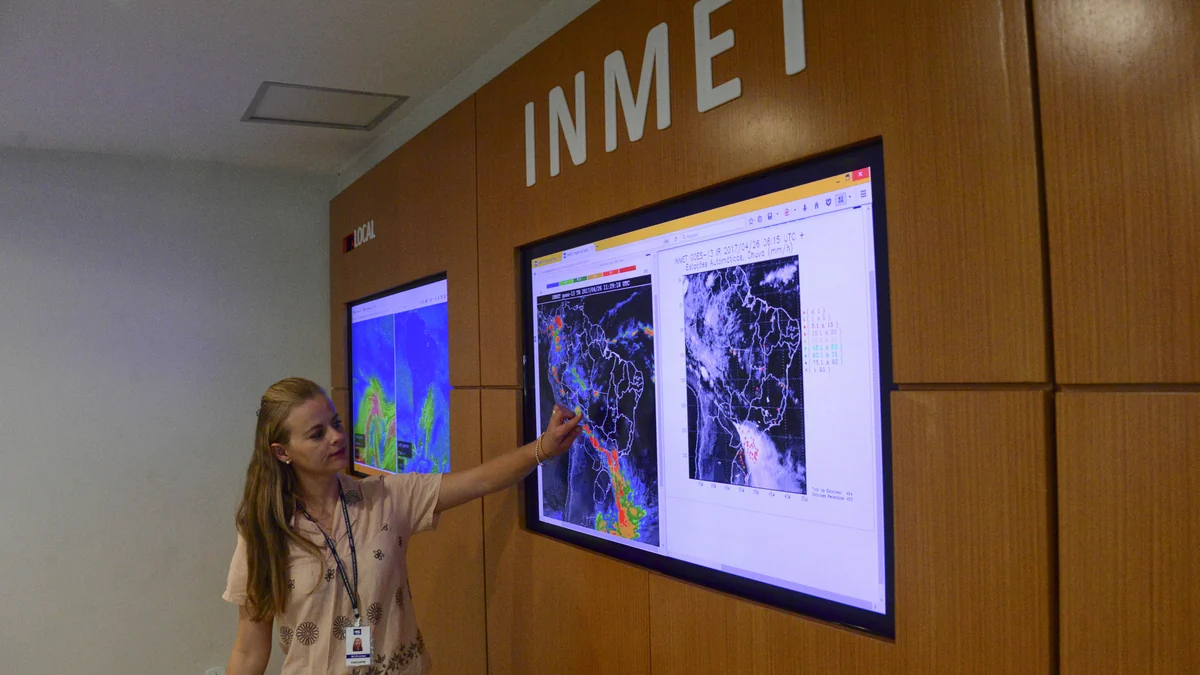
The National Institute of Meteorology portal separates “Avisos Meteorológicos” (weather warnings) from “Previsão de Tempo” (weather forecast). It also provides “Previsão para sua cidade” (forecast for your city), satellite imagery and numerical forecasting. This division helps prevent a common mistake: a forecast of rain, cold weather or storms describes expected conditions, but it does not replace checking a warning issued for a defined area and period.
On the portal, select Avisos Meteorológicos. On the corresponding page, first establish whether the content is still valid. Then find the territorial description and check whether it names your municipality or whether the map actually includes it. Do not assume that an entire state is covered merely because its name appears in a post or news report.
The portal extract also contains weather news. However, an article about a cold front or rain in a region cannot, by itself, establish that a valid warning applies to a specific address.
Check four elements before sharing
A useful verification should answer four questions: who published the warning; which territory it covers; when it starts and ends; and which instructions appear on the official page. Record that information in writing or share the source link. An isolated image may omit the key, time, full area and later changes.
Check the page’s own date as well. A message becoming popular again does not renew its validity. If the warning has ended, consult the portal again instead of reusing its guidance as though it were still current.
This article does not reproduce a colour scale or severity definitions because they do not appear in the official extracts reviewed. When a warning displays a colour, category or level, use the explanation shown by Inmet in that content. Do not interpret it through an unsourced table or by comparison with another event.
Forecasts, warnings and monitoring are not equivalent
Each page answers a different question. A forecast helps explain expected weather conditions. A warning defines a situation communicated by an official body. Monitoring brings together observations and analyses that may help track phenomena and impacts.
The reviewed Cemaden page brings together “Boletins e Relatórios” (bulletins and reports) and points to subjects including hydrological monitoring, drought-impact assessment, technical notes and an interactive map. It is a complementary reference for following risk and impact information, but the available extract does not identify a current warning for a specific municipality.
Do not use a general Cemaden page to expand the area of an Inmet warning on your own. Nor should you assume that both institutions published the same information: compare the place, period and document type presented by each one.
How to handle forwarded messages
If you receive an alert through a chat group or social network, look for the complete link. Check whether the domain belongs to the cited public body and whether the page gives a territory and validity period. If the message only mentions “risk in the state”, without municipalities, a readable map or a period, return to the Inmet portal and search from your location.
Avoid relying on cropped screenshots. Even when authentic, they record one moment and may continue circulating after the warning ends. When notifying relatives or neighbours, send the official page and summarise the area and deadline you found without adding your own forecast.
Civil Defense: confirm the local channel
The national page listed as “Alertas de desastres — Proteção e Defesa Civil” required authentication during the access supplied for this reporting. The extract therefore could not confirm which enrolment channels, commands, numbers or procedures are available on November 9, 2026.
Consult your municipality’s or state’s Civil Defense through its official website and follow the instructions published for your area. Do not send commands copied from old messages or assume that a service cited for another city operates where you are. In immediate danger, follow local authorities’ directions and move away from the risk area if you can do so safely.
A short check before taking action
The safest sequence is straightforward: open Avisos Meteorológicos on the Inmet portal; confirm the location and period; read the guidance displayed in the warning; consult Cemaden’s complementary material when relevant; and find the territorial Civil Defense service for local instructions. If the municipality, validity period or verifiable source is missing, there is not yet enough information to state that the alert applies to you.
Because warnings can change, check the official link again instead of relying on this article for current conditions.
Discover Becoartes
Visit [Becoartes](https://becoartes.com/) at Rua Gonçalo Afonso, 99, Vila Madalena, São Paulo.
Becoartes - Beco do Batman
99 Gonçalo Afonso Street, Vila Madalena, São Paulo