You can watch Netflix while traveling on phones, tablets, and computers, as well as sign in on a TV at a hotel or vacation rental. A verification request does not, by itself, mean you need to change your Netflix Household: first determine whether the device is temporarily away from home or whether the primary location has actually changed.
That distinction matters because Netflix defines a Household through the devices connected to the internet at the primary place where the service is watched. The guidance below is based on the official pages for Spain; features and conditions may change, so check the links before taking action.

Your account still works while traveling
Netflix’s guidance for watching away from home says subscribers can watch as usual on mobile devices and computers or sign in on another TV, such as one in a hotel. A temporary stay is therefore not a reason to reset the Netflix Household automatically.
When you travel to another country, however, the experience may differ. The catalog, streaming and download options, audio and subtitle languages, and even the availability of items in “My List” and “Continue Watching” can change. Maturity ratings follow the country you are in, which may affect titles covered by parental controls. Programs already downloaded to a phone or tablet may also become unavailable abroad.
The Help Center also warns that gift cards and cash payment methods vary by country. Its advice is to make sure the account has sufficient funds or add a backup payment method before traveling, when relevant.

What Netflix considers a Household
According to the official Netflix Household definition, a Household includes devices connected to the internet at the primary place where Netflix is watched. The association uses IP addresses, device IDs, and account activity. Netflix says it does not collect GPS data to determine the devices’ precise physical locations.
When a device signs in through the same internet connection as the main TV, it can be associated with the Household automatically. Separate Wi-Fi networks, a different internet provider, or an external IP address may trigger a verification request.
Netflix also states that an account may not be shared outside the Household. People who are not part of it need to create their own account or, where the option is available, be added as extra members. That differs from occasional use by the subscriber while traveling.
When to verify and when to update
If the message appears during a trip or on a temporary TV, follow the instructions displayed on the device and avoid resetting the Household unnecessarily. The supplied sources confirm that devices on another network may need verification, but they do not establish a universal temporary-access period here. Do not assume a number of days: consult the Netflix message and its official away-from-home guidance.
Updating the Household makes sense when the TV at the primary location has changed, after a move, or when the current association is incorrect. People who do not watch Netflix on a TV—or do not own one—do not need to set a Household, according to the update instructions.

How to update it from the primary TV
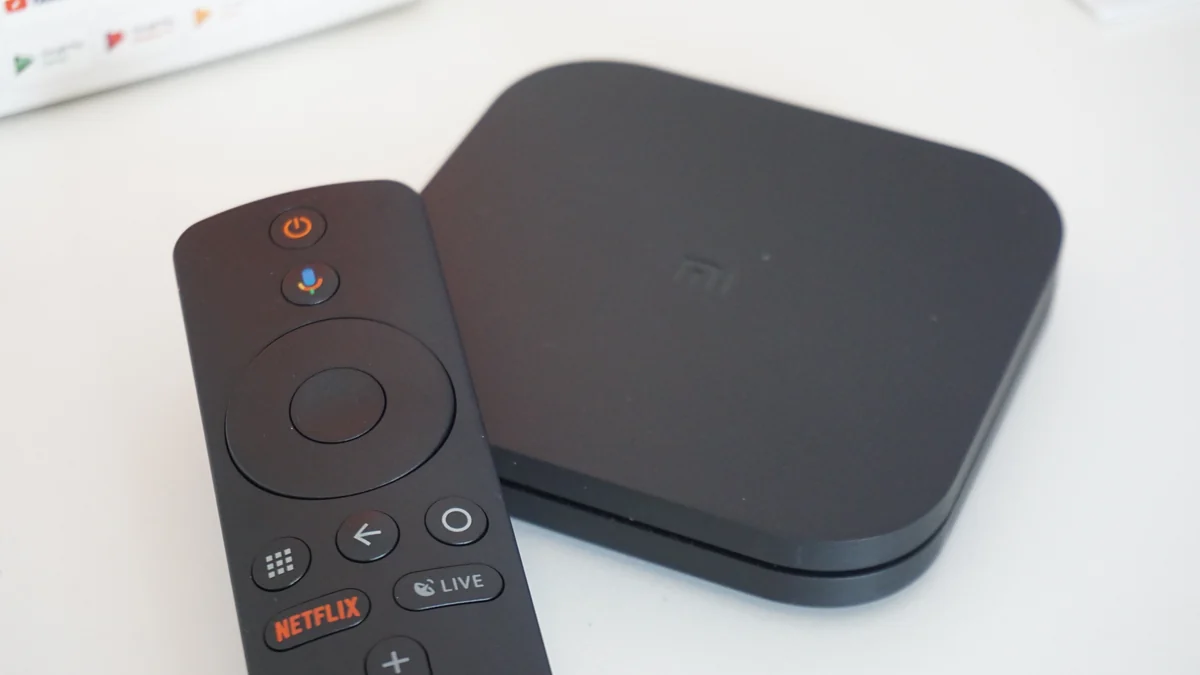
Connect the TV to the preferred or most frequently used internet network in the Household. From the Netflix home screen, press Back on the remote—or Menu on Apple TV—to open the menu. Find “Get Help” or “Settings,” select “Manage Netflix Household,” and choose the update option.
Netflix sends a link to the account email; when no email address is registered, an SMS option may be offered. The Help Center says the verification link expires after 15 minutes. In the email, confirm that you requested the action and complete the update. If the Household management option is absent, Netflix advises using another TV.
Complete the process at the primary location, not on a hotel TV or while visiting someone. When several Wi-Fi networks are available, Netflix may associate only one with the Household, so select the connection used regularly.
If the restriction continues
A session left open at a hotel or another person’s home can interfere with the association. The Manage Access and Devices page shows signed-in devices and recent account activity and lets you sign out of one device or all of them.
Review the list and disconnect devices you do not recognize or no longer want linked. Then return to the TV on the primary network and repeat the update. If you suspect unauthorized access, also follow the security guidance referenced by Netflix’s Help Center.
In short: temporary travel calls for the flow shown on the device; a genuine change of primary location may require an update from the TV; and unfamiliar sessions should be ended through account management. Because menus and rules may change, always confirm the current procedure on Netflix’s official pages.
Discover Becoartes
Visit [Becoartes](https://becoartes.com/) at Rua Gonçalo Afonso, 99, Vila Madalena, São Paulo.
Becoartes - Beco do Batman
99 Gonçalo Afonso Street, Vila Madalena, São Paulo
Sources and credits
- Coolcaesar — CC BY-SA 4.0
- Coolcaesar — CC BY-SA 4.0
- TGspot.co.il - (Mi Box S) — CC BY-SA 4.0
- netflix.com — CC BY 4.0
- Netflix Help Center — Using Netflix outside of your home
- Netflix Help Center — What is a Netflix Household?
- Netflix Help Center — How to set or update a Netflix Household
- Netflix Help Center — Managing your account access and devices