A dog grips a control. Just behind him, a cat appears to be having a rather different flight. In the publicity image for *Wing It!*, the dog's nose points one way while the cat's enormous eyes and open mouth compete for attention on the other side of the cockpit. Both characters occupy the same space, yet they might as well be in different stories. Before asking how on earth to model that snout, ask a smaller question: where did you look first? It is a useful way into a film whose makers have actually shown how some of those choices were made.
Released in September 2023, *Wing It!* was Blender Studio's fifteenth Open Movie. The team set out to explore a meeting point between two-dimensional cartoons and three-dimensional animation, rather than to create the most plausible simulation of a real room. The result makes a surprisingly approachable animation lesson. You can watch the film, compare published production images and follow the making of one particular shot without installing software or downloading an entire movie project.
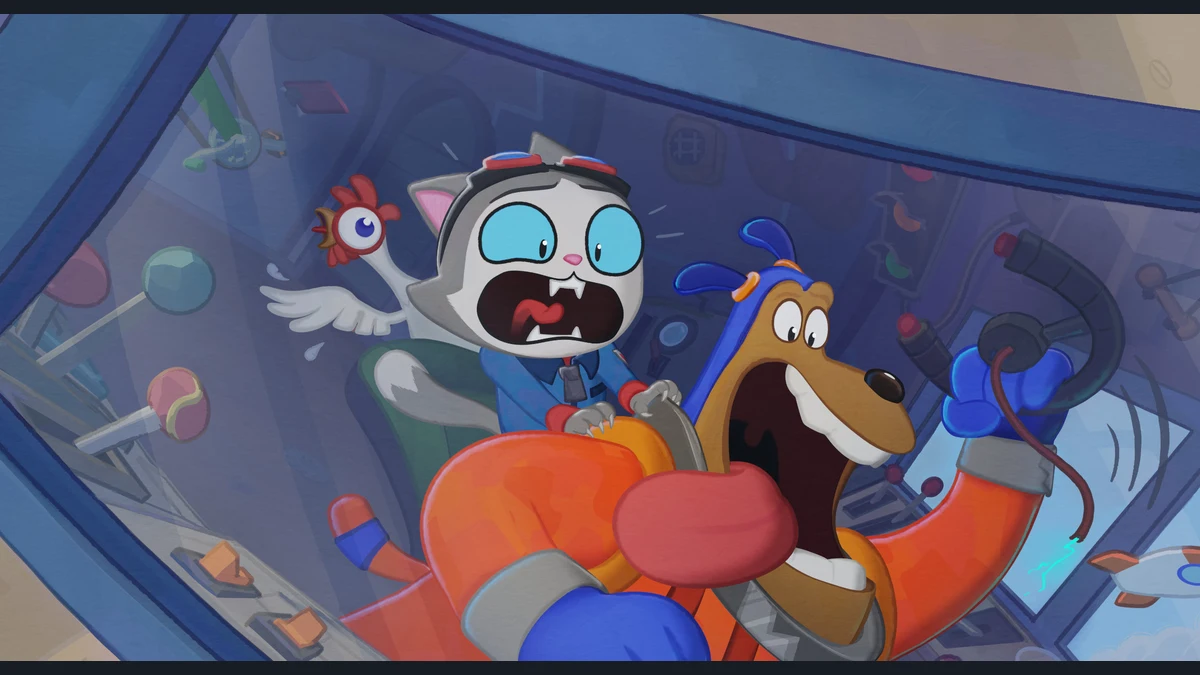
Watch the reaction before you look for the tool
Play the short on Blender's official channel. Let it run once without interruption. On the second viewing, pick a change in expression and stop the film just before and after it. Try describing the change without using the word “animation.” Has somebody spotted something? Does the other character know it yet? Cover part of the screen with your hand. If the tilt of a head or the shape of a paw still gives the reaction away, you have found information that survives the loss of a good deal of expensive-looking detail.
This exercise separates what the character does from what the camera lets us see. A pose conveys intention; the frame decides how much of that intention is visible. A gesture that reads in close-up may vanish among cockpit instruments in a wide shot. Make the player window small enough to resemble a postage stamp and look again. The point is not to test picture quality. It is to find the handful of shapes that still tell two characters apart when you can no longer inspect the stitching or the buttons.
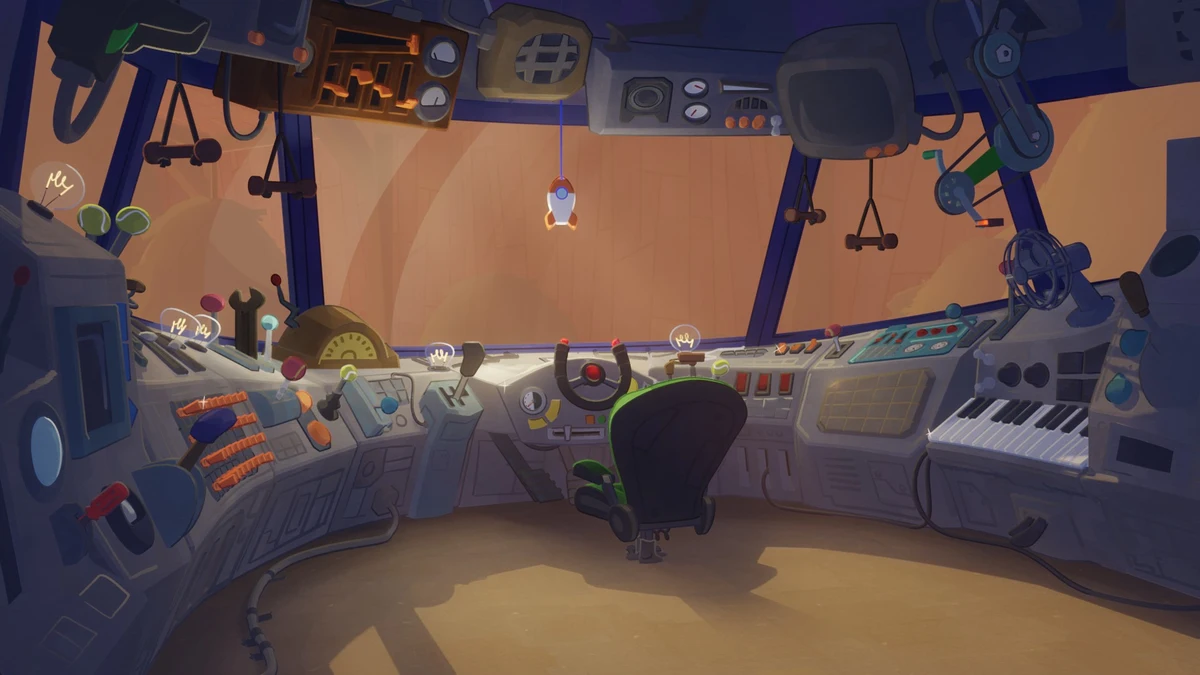
What does a drawn look ask of a 3D engine?
In its premiere announcement, the studio says it used the EEVEE rendering engine throughout production. That identifies the technology that produced the images, not a preset that made all the artistic decisions. A shadow can describe the full roundness of a head. Alternatively, it can be reduced to a small dark shape that makes a cheek stand out from the background. The software does not decide which of these is funnier.
Look at the cockpit for a moment as a drawing. The seat, control panels and levers have volume, but not every corner competes equally for the eye. Try mapping a still with a pencil: mark the brightest patch, the largest dark mass and the outline you notice first. Then compare that little diagram to the full image. A highly detailed copy can miss precisely what makes the original easy to read: the distinction between what the audience needs to see now and what it can discover later.
One shot comes with a lighting diary
The studio's lighting breakdown follows a shot identified as 020_0040_A. It includes an early render and a painted revision laid over that work. Compare the images before reading the explanation. What became simpler? Where did the contrast change? Lighting in this production did not just mean positioning virtual lamps. The artists could adjust the colors of character highlights and shadows separately from the set. That gave them a way of preserving the intended drawing even when a literal simulation might have produced a less legible result.
There was also a practical reason to begin from shared settings. The barn appears across shots; building its atmosphere afresh at every cut would make continuity harder. Imagine a pair of consecutive images in which the light changes direction without any reason in the story. The viewer has to relearn the room. Starting from a common setup leaves artists free to depart from it deliberately, rather than forcing them to guess how the previous shot looked.
A video file is not a working scene
The finished video combines every decision on a flat surface. A production scene can instead let you inspect the camera, move through the timeline and view the geometry from outside the chosen frame. Blender Studio's Vault lists the complete *Wing It!* production repository. Check access and file requirements before committing to a large download. The film is free to watch; some production files and lessons require a subscription. An open license and a free account are not the same thing.
If you do have the scene, keep an untouched copy. Note the frame number and change just one variable on a working duplicate, perhaps the camera position. Compare the same frame before and after. If you change the lens, the pose and three lights at once, you may come away with a handsome picture but no useful account of what made it different.
Take the lesson home, with or without the assets
The project license permits reuse, including commercial reuse, of covered material with attribution. Credit the source, link the license and identify any changes. Logos and excluded third-party items do not acquire the same permission. But the most portable part of this film needs no download at all. Shoot the same reaction twice with your phone and change only what sits behind the actor's face. If the simpler frame tells a clearer story, a cartoon cat and dog have already taught your camera something.
Image credits. Images resized, framed with margins and converted to WebP without cropping. (CC) Blender Foundation | studio.blender.org (CC BY 4.0); (CC) Blender Foundation | studio.blender.org (CC BY 4.0).
Sources for this story
Original documents are linked in the article.
Becoartes - Beco do Batman
99 Gonçalo Afonso Street, Vila Madalena, São Paulo